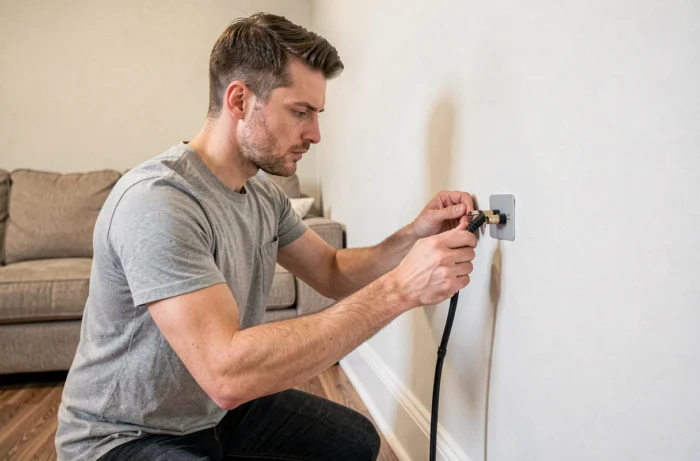
Connecting a TV in a rental apartment can be a real challenge: the TV outlet is rarely where you want to put the screen. The obvious solution might be to drill a hole, run a cable through the wall and install a coaxial outlet.
But in a rental, every hole can cost you when it’s time to hand back the keys. Reversible methods let you connect a TV to a wall outlet without touching the wall or risking a deduction from your security deposit.
France’s 6 July 1989 law: what tenants can and can’t do
Before you get out the drill, here’s a useful reminder. France’s 6 July 1989 law distinguishes between alterations (reversible changes that are permitted) and modifications (changes to the property or its fixtures). Installing a recessed TV outlet is a modification, not an alteration. Without the landlord’s written consent, they can require you to restore the property at the end of the lease.
You may have read that if the landlord doesn’t respond within two months, their silence counts as consent. That deadline applies to specific cases: adaptations for people with disabilities or energy-efficiency renovations. It does not cover installing a TV outlet.
In practice, to stay on the right side of the rules, either get written consent or choose an installation that can be removed without leaving a trace. It’s this second option that’s worth exploring, and the guide from Concept Maison on wall-mounted TV outlets in rental properties covers several reversible solutions.
Exposed coaxial cable and removable trunking: a reliable solution
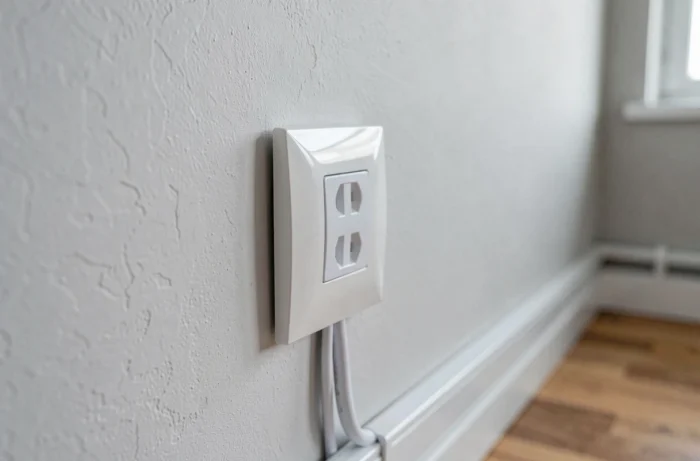
The most straightforward solution is to connect the existing antenna outlet to your TV with an exposed coaxial cable. No drilling, no cutting channels into the plasterboard. The cable runs along the skirting board or around the door frame to the screen.
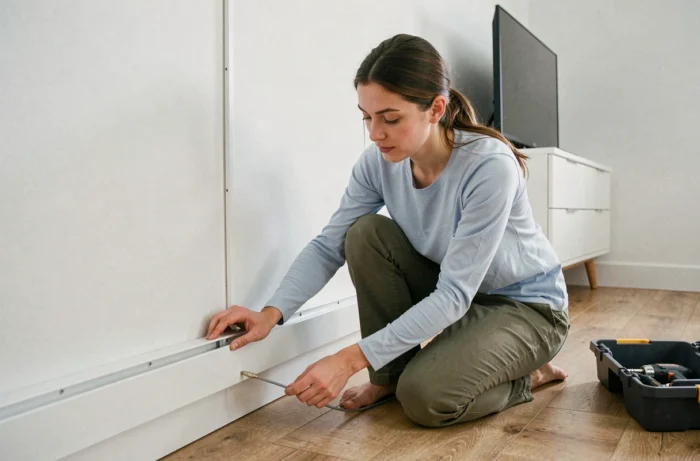
For a neat finish, adhesive cable trunking conceals the cable along its entire route. This trunking is attached with double-sided adhesive designed to come off without peeling paint or wallpaper. When you move out, peel it off and clean the surface—the wall will be left intact.
Choosing the right cable and trunking
VATC17 or VATC19 coaxial cable carries the digital terrestrial TV signal with minimal loss. Use an F-type connector rather than an IEC connector if your wall outlet allows it: it provides better contact and lower signal attenuation, especially if the cable is more than a few metres long.
Before buying cable trunking, check two things:
- The internal width should fit the coaxial cable and, if needed, an HDMI or power cable without crushing them
- The adhesive should be repositionable or designed to come off cleanly (check the packaging for wording such as “residue-free”)
- The colour should match your walls or skirting boards, since white trunking on a dark grey wall stands out more than the cable it conceals
Indoor digital TV antenna: when the wall outlet can’t be used
In some homes, the antenna outlet is faulty, incorrectly wired or in a room you don’t use. Rather than running a cable for ten metres, an indoor digital TV antenna plugged directly into the television may be enough.
Reception quality at your address is the deciding factor. If you live in a densely populated urban area close to a transmitter, a flat antenna placed near a window will often pick up most channels. In an area with weaker coverage or a sunken ground-floor apartment, the signal may be too weak.
Test before you buy
Before buying an indoor antenna, run a channel scan on your TV without connecting anything to the antenna outlet. Some TVs can already pick up a few channels using their built-in tuner, giving you an idea of the available signal strength. If no channels appear, an amplified indoor antenna (with a small USB-powered unit) may help, but there’s no guarantee.
Keep your receipt: most DIY stores accept returns if the antenna doesn’t work well enough.
Managing cables around your TV without drilling into the walls
Connecting the TV signal is only part of the problem. Between the power cable, the HDMI cable to a set-top box or console, and possibly an Ethernet cable, wires can quickly pile up behind the screen.
Ever noticed how cables always slip off the TV stand and end up in a heap on the floor? An adhesive cable clip attached to the back of the stand or underneath the tabletop keeps everything together in one bundle. Keeping cables tidy also reduces the risk of accidentally disconnecting them.
Freestanding TV stand: an alternative to a wall mount
If your TV is too large for a standard stand, a freestanding TV mount (a weighted metal stand placed on the floor) is a no-drill alternative to a wall mount. These stands support large screens and often include a cable channel in the vertical column.
The weighted base keeps the stand stable. Check that the VESA compatibility (the spacing between the screw holes on the back of the TV) matches the stand you choose. This is always listed in the product specifications.
- No drilling or wall mounting: the stand can be placed and moved freely
- The built-in cable channel conceals the power cable and coaxial or HDMI cable
- When you move, everything can be dismantled in minutes without leaving a trace
A TV outlet in a rental doesn’t have to be a source of stress. A quality coaxial cable, removable trunking and, if needed, a freestanding stand will work for most setups. The real mistake would be to drill first and check your lease afterwards.